Getting Started
The game screen
The parts of the game screen and the windows they open.
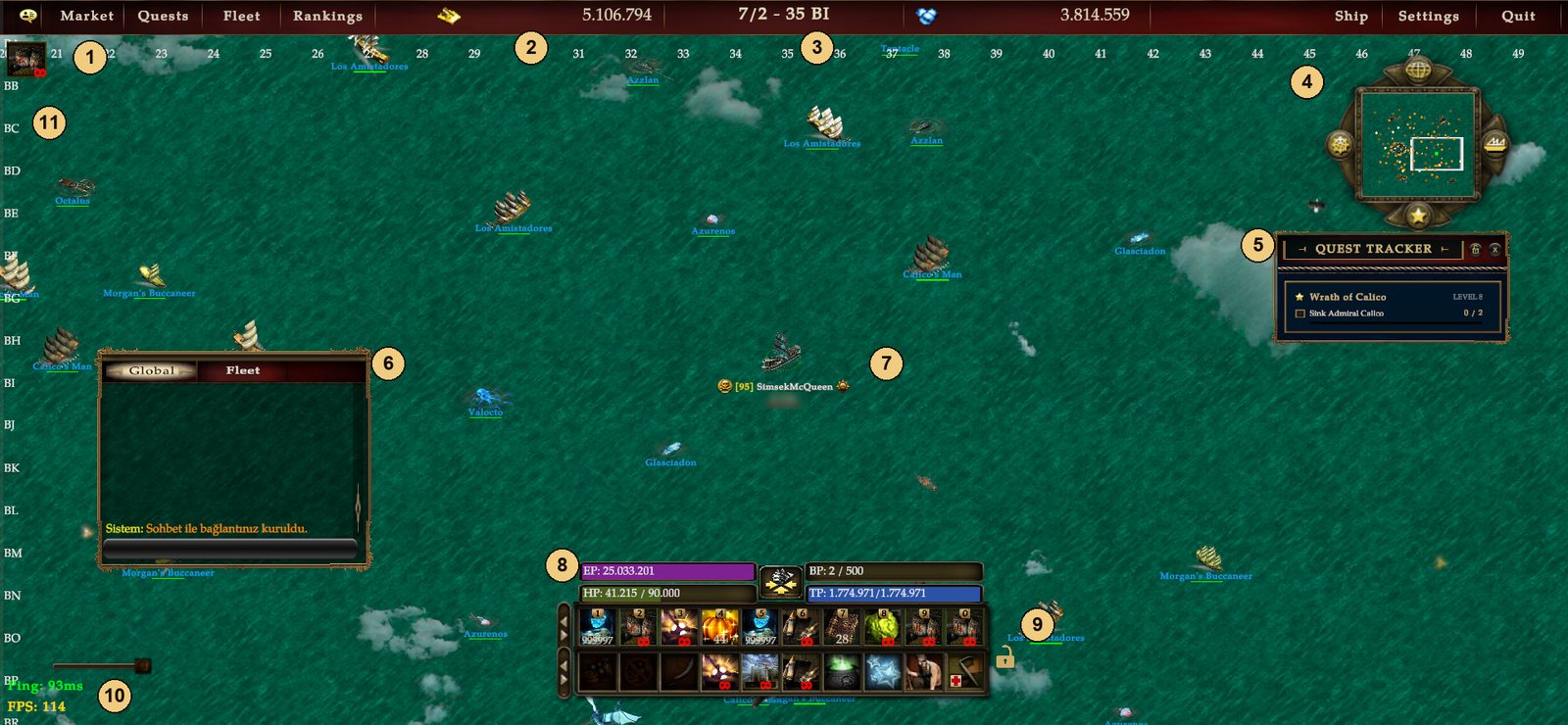
- Top menu: Market, Quests, Fleet, Rankings; on the right Ship, Settings, Quit
- Gold and pearls
- Your position: map and coordinate
- Minimap and the world map button
- Quest tracker
- Chat: Global and Fleet
- Your ship: fleet tag, name, rank and BP badges
- EP, HP, BP and TP bars
- Quick belt (1–9, 0) and action buttons
- Ping and FPS
- Coordinate grid: numbers on top, letters on the left
Bottom bar
Two blocks: the quick belt (10 slots on keys 1–9 and 0) and the action buttons: fire, stop, seize, cannonball and harpoon choice, the skyfire menu (Skyfire and Elmo's Fire; a movable window you can lock), inventory, repair and more. With Settings › Configuration open you can move the blocks and turn each one vertical.
Minimap and world map
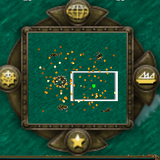
The minimap shows your current map, with filters for NPCs, players, pearl boxes and monsters (admirals follow the monster filter). Your position reads like 5/2 - 34 BC. The world map shows which maps are open and the level and TP they need.

Spy
Enter a captain's name or ID and learn their current map and coordinate for pearls.
Quests
Your active and available quests. Filters: One-time, Exam, Daily. A quest whose reward is being confirmed shows "Reward pending". The Battle Point Rewards tab next to it is not open yet.
Windows
| directions_boat Ship | Tabs: Ship · Cannons · Logbook. The Ship tab shows your nickname, the design you wear and your info (ID, fleet, EP, TP, Battle Points, rank, sink counts, VIP time left); at the bottom are the Designs (Owned · All designs) and Settings buttons. |
| storefront Market | Tabs: Market · Packages · Auction · Black Market (visible, closed for now) · Code Panel. |
| groups Fleet | Members, Islands (towers), Allied/Enemy Fleets and the fleet's log. |
| menu_book Logbook | A tab of the Ship window. Your own log: sinkings, being sunk, rewards, island and tower events, code rewards, warnings. It is written even while closed. |
| leaderboard Leaderboard | Captains and Fleets tabs; 10 lists under Captains, with search and paging. Refreshed every 30 minutes. |
| settings Settings | One window in three parts: General (sound, ambient sound, volume, language: 8 languages, Configuration: moving the bottom-bar blocks), Display & Interface (FPS limit and counter, border, clouds, birds, sea theme Classic / New, visual and hit effects, camera shake, quest tracker, the map-edge jump button; joystick speed, chat and belt size) and Key Bindings. At the bottom: Account and Restore Defaults. Password and e-mail are changed on the website. |
| campaign Announcements | The website News can be read in game too; the number of unread announcements shows on the button. |
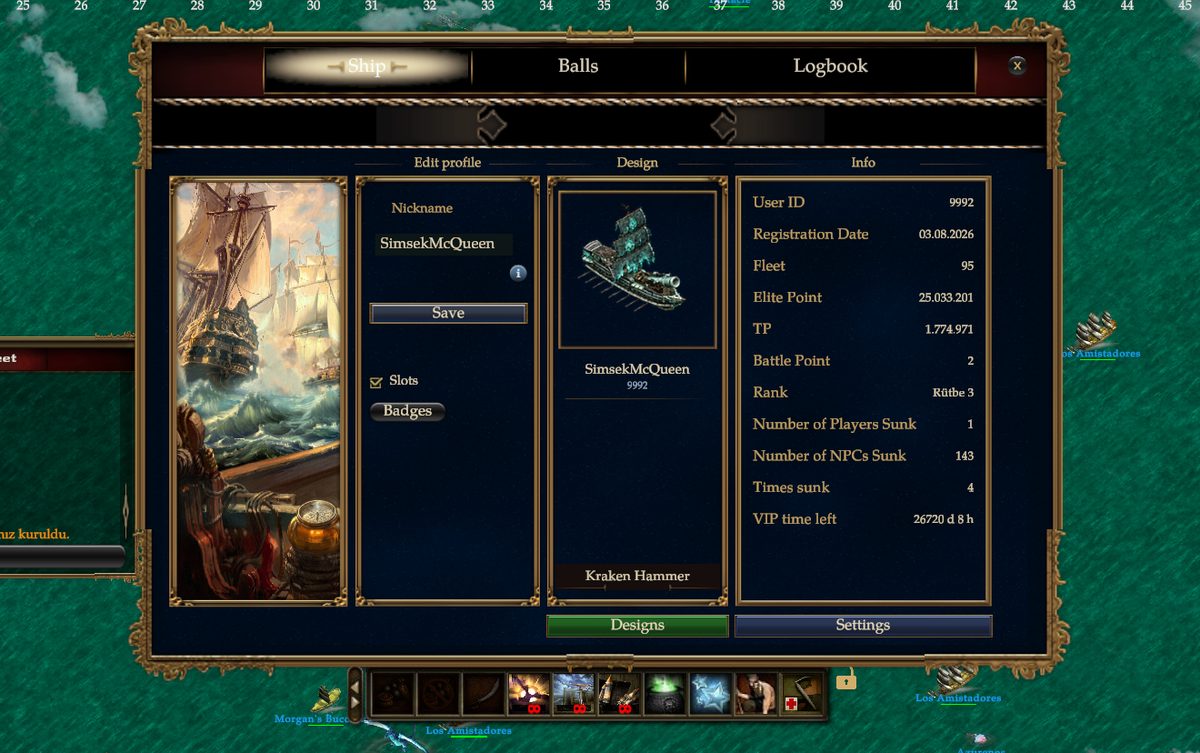
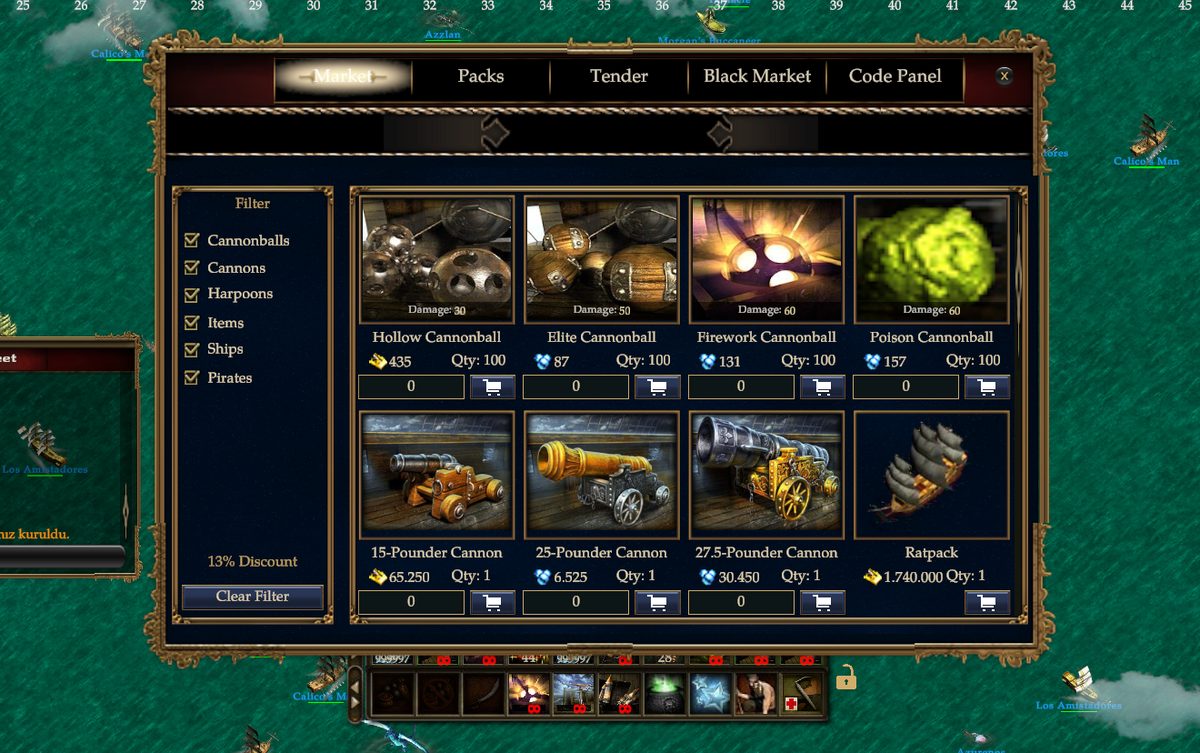
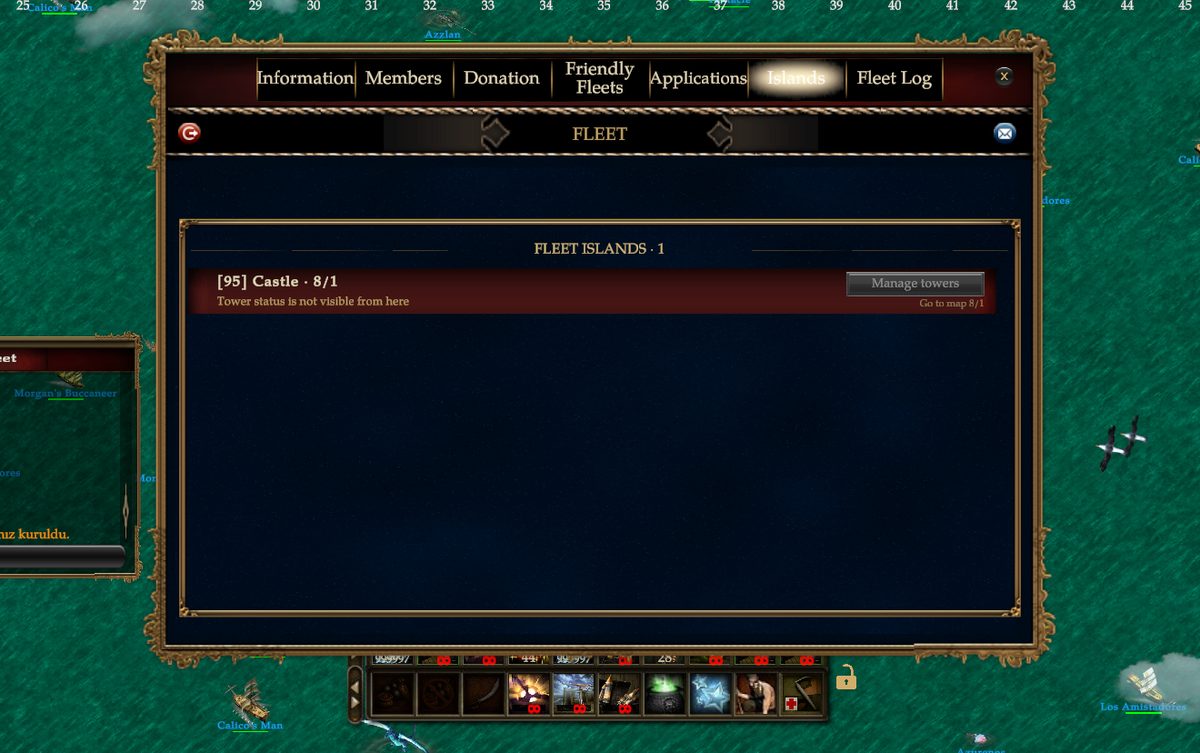
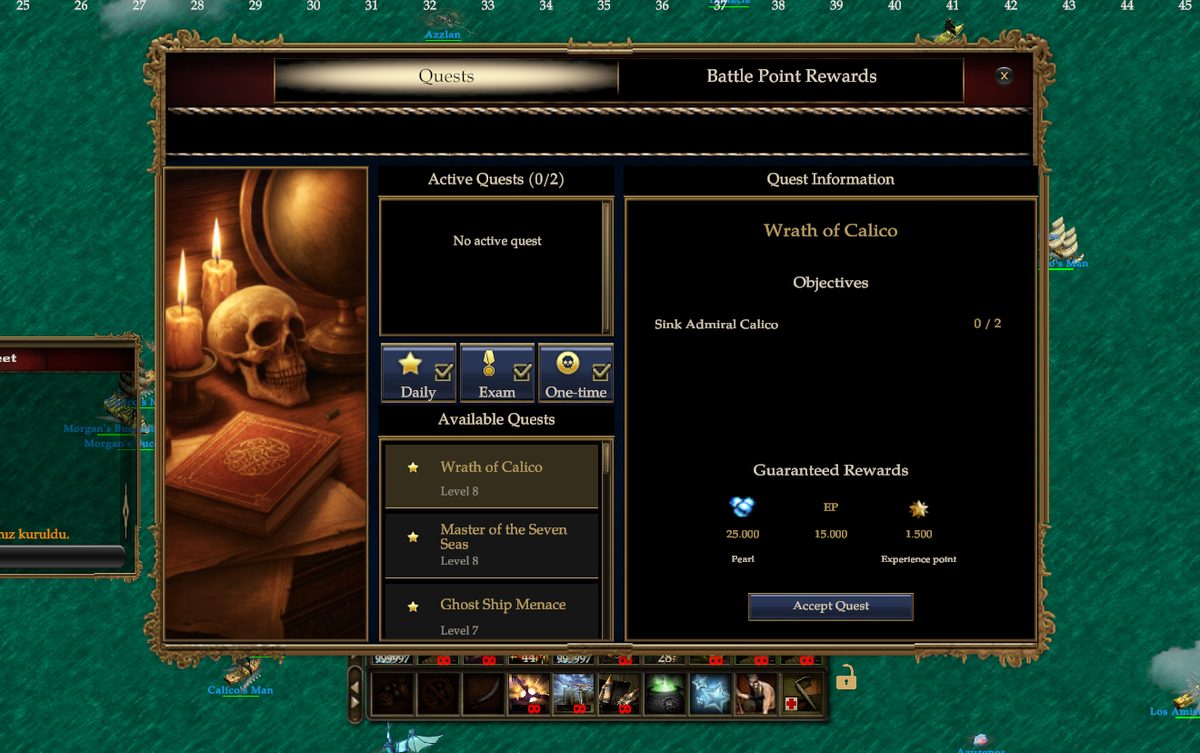
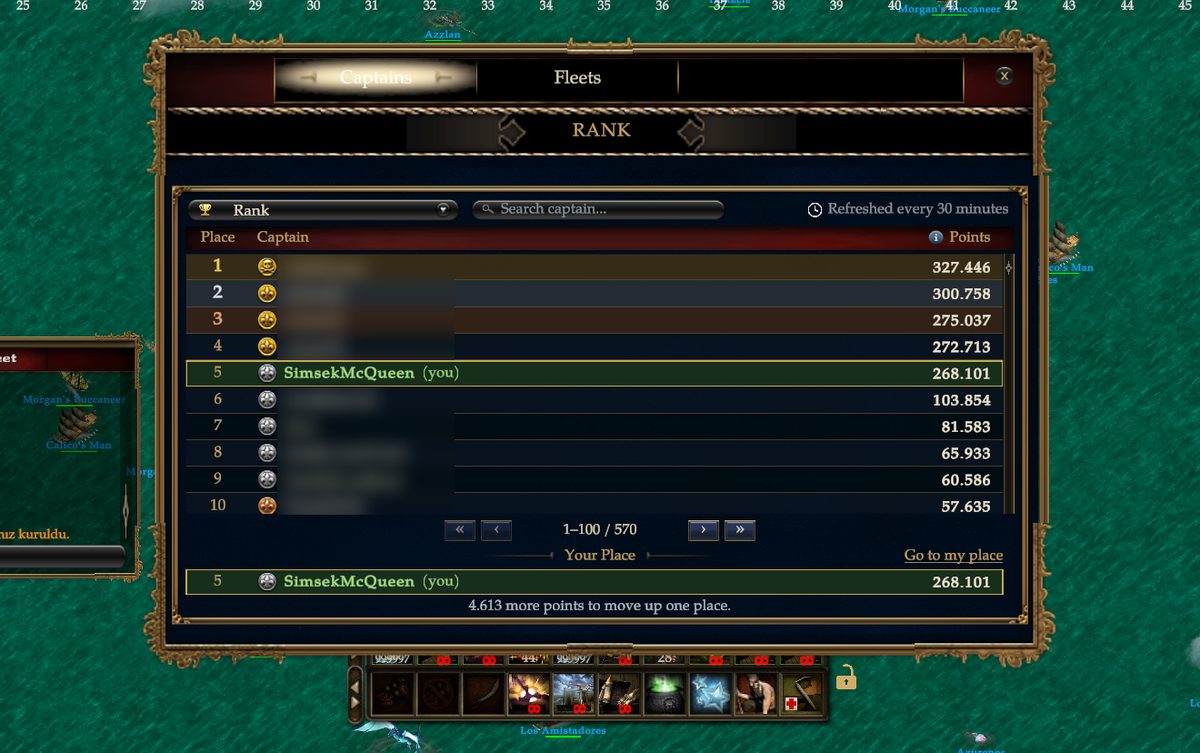
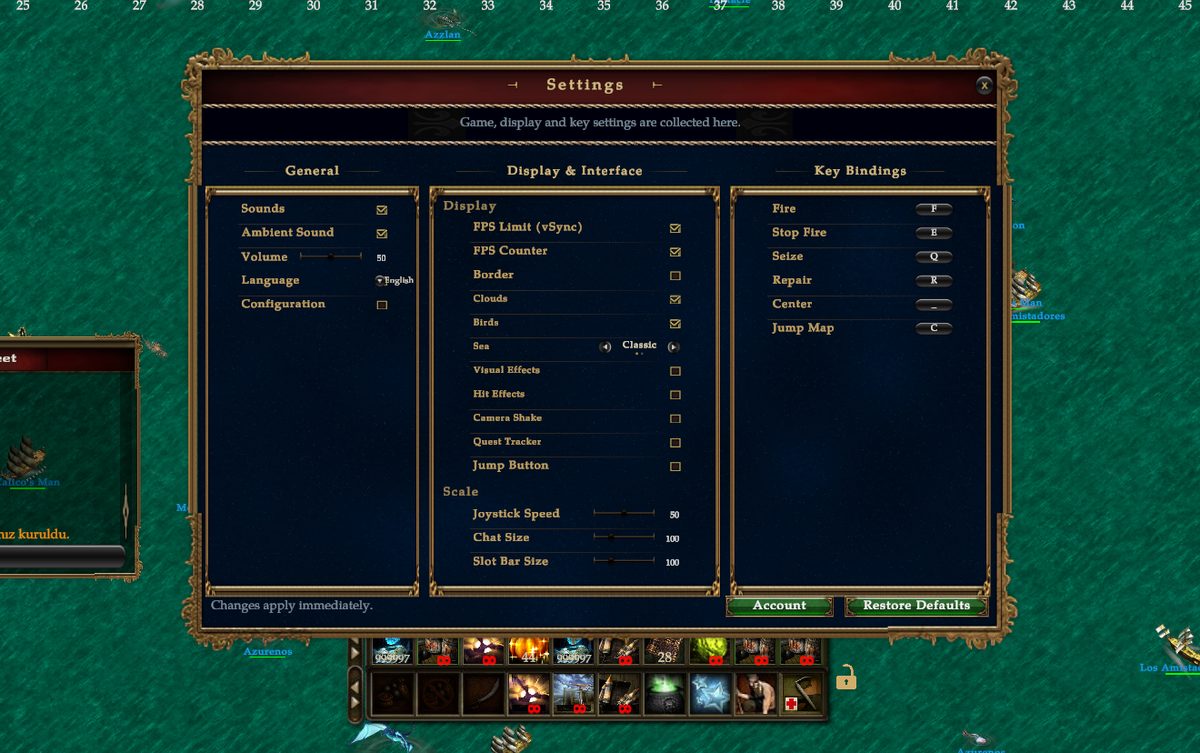
Screenshots from a test account; other players' names are blurred.
Chat
- There are General and Fleet tabs. To whisper, type
/w Name: message; a message that starts with/wbut does not match this form goes to no channel. - Messages are at most 200 characters. You can send at most 5 in a row; the allowance refills one per second.
- Click a line to whisper to that player or report them. A message with inappropriate words is not sent and you get a warning. Insults and swearing are banned; accounts can be closed without warning.